In the world of education, we've been flying blind for way too long. Traditional formative assessments — multiple-choice quizzes, written reflections, end-of-term papers — tell us what happened, but miss how it happened. We see the wrong answer, not the reasoning behind it. Was it a simple slip, a deep misunderstanding, or just rushing through?
That’s where screen recording steps in — also called screencasting or just a simple screen record. It completely shatters the guesswork era and gives you a front-row seat to the student’s entire thought process, making it the breakthrough online distance education has desperately needed for years.
What a screen record actually reveals
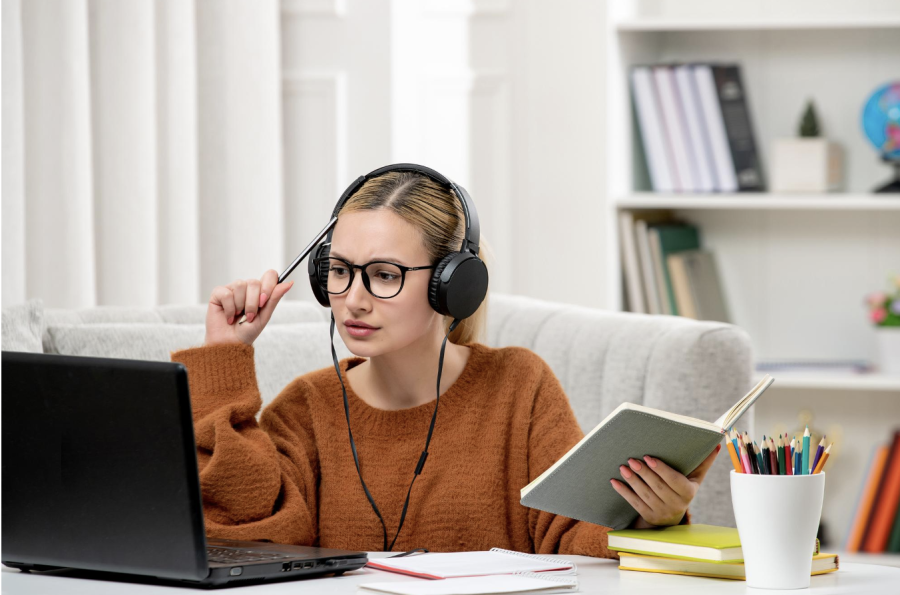
One student, one tough digital challenge. Screen recording doesn’t stop at the final submission — it delivers the whole movie. Every click, backtrack, and light-bulb moment is captured in glorious detail. With screencasting, you get to watch exactly how they explore simulations, debug code, annotate texts, or practice pronunciation. It’s the closest thing to sitting right next to them, even when “next to them” means halfway around the world in a distance learning course.
No more assuming based on scores; now you see exactly where misconceptions creep in, where persistence kicks in, and when true understanding clicks. For the first time, learning progress becomes something you can quantify and track with precision.
Real engagement, not just “minutes spent”
Screen recording shines when it comes to measuring real engagement. Sure, your learning management system might log how many minutes a student spent on a task, but that's surface-level stuff. A screen record reveals the intensity behind those minutes. When someone stops to think over a tough equation, replays an explainer video, or rapidly fine-tunes a design, it’s a strong signal that real learning and engagement are happening.
But when someone flies through without stopping to think, it’s a red flag for shallow learning — or worse, cheating. In online distance education, where motivation can wane without in-person vibes, these patterns help teachers intervene right away. It's not about time-on-task; it's about quality of thought, and screencasting makes that visible in ways analytics dashboards never could.
From feedback to assignment feedback videos that actually work
Now, let's talk about turning these recordings into assignment feedback videos. Forget bland written comments that students skim and forget. With a student's screen record in hand, you can create a short, narrated overlay that hits home. When you can pinpoint, “At 2:43, the inequality sign was reversed,” the explanation clicks instantly. In under 90 seconds, video makes the complex clear — far faster than written explanations ever could. When students rewatch, learning sticks — and that personal connection makes asynchronous setups feel far less distant. In higher education, where classes can feel impersonal, these videos build a real connection, boosting motivation and understanding.
Endless applications across every discipline
In STEM fields, screen recording uncovers flaws in virtual experiments before anyone wastes real resources.
● Humanities students can screencast their close-reading sessions in annotated PDFs, showing how they build arguments from the ground up;
● Language teachers get to watch pronunciation drills and pinpoint exact issues, like a tricky syllable;
● In nursing or med programs, recorded case studies reveal clinical reasoning skills early on, way before patient interactions;
● Even in the arts, performers submit screencasts of their digital audio workstation sessions, letting instructors critique mixing choices and creative decisions.
In distance education, where hands-on guidance is tough, learning through videos like these bridges the gap perfectly.

A game-changer for diverse and neurodiverse learners
One of the coolest things about screen recording is how it supports diverse learners. In traditional setups, neurodiverse learners — such as those with ADHD, anxiety, or processing differences — often don’t get the visibility or support they need. But a screen record exposes strategies (or lack thereof) instantly. For English-language learners, it highlights vocabulary stumbling blocks through repeated lookups. Paired with universal design, this tool amps up equity, making rigorous assessment accessible to all.
Turn students into their own best critics
Don't stop at teacher review. Empower students, too. Make them watch their own recordings before submitting. Add a quick metacognition prompt: "Replay your screen record. Note one strength and one tweak for next time." This builds self-regulated learning skills that stick. Institutions embedding this in rubrics see students' independence skyrocket over a semester. With one simple step, passive learners become active participants — a critical shift in higher education, where motivation has to come from within.
Your easy-to-follow implementation guide
Pick the right screencasting software
Go for user-friendly options that launch with one click, grab system audio automatically, and upload straight to your LMS. Mac users, you're in luck — learning how to screen record on Mac with sound is a breeze, taking less than five minutes.
Privacy and consent done right
Get an explicit written agreement upfront. A short form explaining the goal (tracking learning progress and giving targeted feedback), how it's stored (encrypted and restricted), and when it's deleted (end of term) covers your bases legally and ethically. No consent means no recording, simple as that.
Optimizing the recording process
- Cap tasks at 5–10 minutes;
- Require concurrent think-aloud narration — silent recordings lose half their diagnostic value;
- Train the entire class on start/stop/upload in week one (90-second live demo is sufficient);
- Instruct students to pause recording during breaks to eliminate dead air;
- Provide a one-page “recording checklist and a sample “gold-standard” recording as a model.
Giving feedback at scale
For feedback at scale, speed things up: review at 1.5×–2×, jot timestamped notes, and batch-record those assignment feedback videos. A class of 40? Done in under two hours, way faster than old-school grading, with massive impact.
Eliminate tech friction once and for all
Tech hiccups? Nip them in the bud with a short video library for troubleshooting, student mentors, and a dedicated forum. Once in place, technical drop-off vanishes.
Keep guessing… or start seeing
Sticking to quizzes and papers is like teaching in the dark. Screen recording lights it up, offering the sharpest view of learning progress, spiking engagement, and turning feedback into a conversation. It works across disciplines, from higher education to online distance education.