Data breaches make the news almost weekly, and students are far from immune to the consequences. From leaked university portals to compromised email accounts, the fallout can affect grades, financial security, and long-term academic opportunities. While cybersecurity may sound like something for IT professionals alone, students also need practical ways to keep their data safe. This guide covers the essentials from daily digital hygiene to understanding larger security risks, so you can study with fewer worries.
Why Students Are Targets
Students often assume they are too “small” to attract hackers, but the opposite is true. University networks hold large amounts of personal information, from addresses and phone numbers to tuition billing details. Cybercriminals look for the easiest entry point, and students who reuse weak passwords or download suspicious files become convenient targets.
Compromised academic accounts can lead to fake assignment submissions, unauthorized grade changes, or fraudulent tuition payments. So, you really need to check if the password you’re using to log in on a custom dissertation writing service is safe and not repeated anywhere else. In the worst cases, stolen data can cause massive financial losses. Being informed now means reducing risks before they escalate.
Digital Shortcuts That Put You at Risk
College life is busy, and shortcuts feel necessary. Unfortunately, certain habits make breaches more likely:
Using the same password for multiple accounts.
Connecting to free campus Wi-Fi without a VPN.
Storing sensitive files without encryption.
Clicking unknown links shared in group chats.
Downloading “free” software or pirated files that carry malware.
It only takes one weak link to open the door to a larger attack. Recognizing these shortcuts is the first step toward creating safer study routines.
Passwords, Passphrases, and Two-Factor Authentication
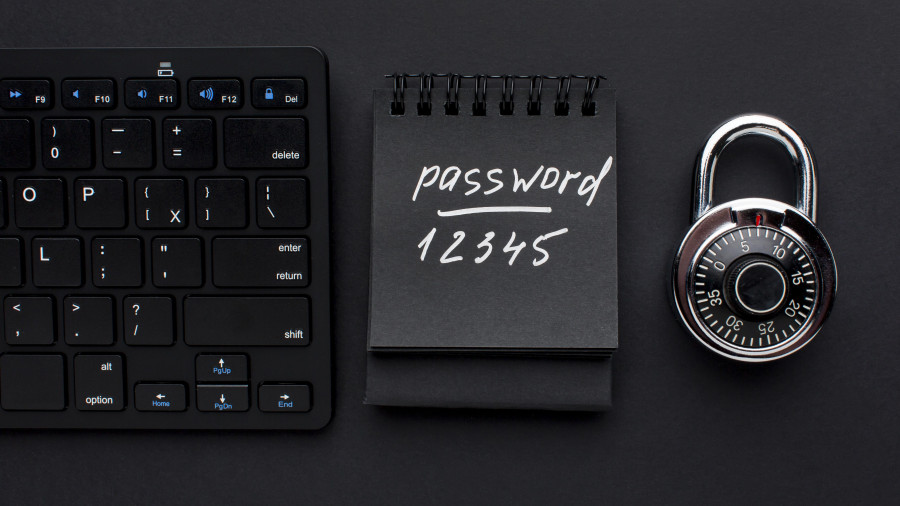
The strength of your digital defenses starts with your login credentials. A short, predictable password can be guessed in seconds by automated software. Instead, think in terms of passphrases: a series of unrelated words with numbers and symbols that are easy for you to remember but difficult for anyone else to crack.
Example: Instead of “student123,” try a string of not connected characters, like “SFjuwg927kqbQOf.”
❗️Make sure you’re using an original password and not copying our example.
Two-factor authentication (2FA) adds another layer by requiring a secondary code sent to your phone or generated by an app. Even if your password leaks, 2FA blocks most unauthorized access. Many universities now offer built-in 2FA, so enabling it takes only a few clicks.
Safe Browsing and Network Practices
Students often use shared networks in libraries, coffee shops, and dorms. Public Wi-Fi is convenient, but it’s also an open door for attackers who can intercept unprotected traffic. Using a VPN encrypts your connection, preventing outsiders from spying on what you send or receive.
Other habits also strengthen safety:
Log out of shared devices after each use.
Avoid entering banking information on public computers.
Regularly clear browser cookies and saved login details.
Practicing these steps keeps academic and financial data from leaking through unnoticed channels.
Email and Messaging Caution
Phishing emails are one of the most common student traps. Messages that appear to come from your professor, registrar, or even a scholarship program may contain malicious links or attachments. Warning signs include urgent language (“Your account will be closed in 24 hours”), unexpected attachments, or strange sender addresses.
Before clicking, verify the source. Contact the supposed sender through a different channel if you are unsure. The same applies to direct messages on platforms like Discord, Slack, or WhatsApp. Hackers exploit trust among classmates to spread links that lead to malware.
Device Security and Updates
Students rely on laptops and phones daily, making them prime targets. Regular software updates close known security gaps that attackers exploit. While updates may feel disruptive, delaying them leaves you exposed to vulnerabilities.
Other device-level protections include:
Installing reputable antivirus software.
Enabling full-disk encryption.
Backing up files to secure cloud storage or external drives.
Losing an assignment to ransomware or a corrupted hard drive is frustrating, but backups turn disasters into minor inconveniences.
Social Media and Oversharing
It’s natural for students to share life updates online. However, details like your dorm location, pet’s name, or birthday can double as password recovery answers. Attackers often collect this information to guess credentials.
Adjust privacy settings to limit visibility and think twice before posting real-time updates that expose where you are. Protecting your digital identity means being intentional about what you share publicly.

What To Do If You Suspect a Breach
Despite good digital hygiene, breaches can still happen. Hackers are constantly testing new tactics, and even strong passwords or careful browsing habits sometimes aren’t enough. A suspicious login attempt, strange activity in your academic portal, or unusual messages from your email account are all early warning signs. The key is to act fast since delays make it easier for criminals to spread through your accounts and harder to undo the damage.
If you suspect your data has been compromised:
Change your passwords immediately.
Notify your university’s IT department.
Run a full virus scan on your devices.
Monitor bank and email accounts for unusual activity.
Consider credit monitoring services if financial data was exposed.
Each of these steps matters. Password changes cut off access for anyone who has already stolen your credentials. Reporting the issue to IT helps them trace the source and prevent wider network compromise. Scanning your device ensures that malware isn’t lingering in the background, ready to reinfect. Keeping an eye on your accounts gives you the chance to spot fraud quickly, and credit monitoring provides a safety net against long-term misuse of your personal details.
It’s also wise to document everything as soon as you notice suspicious activity. Take screenshots, save email notifications, and keep a written record of dates and actions. If the breach escalates, this information can be crucial for restoring accounts, working with banks, or even filing legal reports.
Finally, treat any suspected breach as a learning opportunity. Once you’ve secured your accounts, review what might have gone wrong. Did you click a phishing link? Was your software out of date? Did you reuse an old password? Identifying the weak spot allows you to build stronger habits going forward and reduces the chance of facing the same problem twice.
Final Thoughts
Being a student today means balancing more than coursework. Cybersecurity is part of academic success, and the choices you make now set patterns for your professional life. Protecting your passwords, practicing safe browsing, using verified services, and staying alert to phishing attempts can significantly lower your chances of becoming part of a data breach. By integrating these habits into your daily routine, you secure both your academic path and your personal future.